Find these elements in Library › Motion › Elements, section Overlays & lower thirds. Click a tile to add it at the playhead, or drag it onto the timeline. Select the item on the timeline to change its options in the Inspector. Overlays sit on top of your footage: they animate in, hold, and animate out at the end of the item. Their colours and fonts follow your brand kit until you change them.

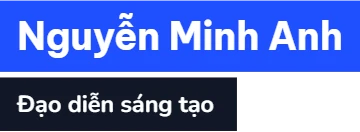
Name lower third

Name lower third element
Two bars with a name and a title are revealed from the side, then close again at the end. Key options in the Inspector:
  • Name: Name on the top bar; long names shrink, then end with …
  • Title: Role or title on the second bar; leave it empty for no second bar.
  • Font size: Name size in px; the title is about 60 % of it.
When to use: Introduce a speaker or an interviewee.

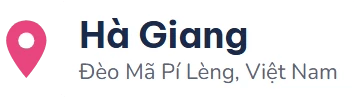
Location lower third

Location lower third element
A map pin drops in with a bounce, a card with the place name slides out of it and a detail line fades up. Key options in the Inspector:
  • Place: Place name, on one line.
  • Detail: A second line under the place; leave it empty for none.
  • Align: Side the pin sits on.
When to use: Show where a scene takes place: travel, food reviews, field reports.

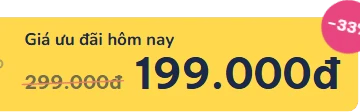
Price callout

Price callout element
A price tag swings in with a label, the new price and the old one struck through, and a discount badge pops. Key options in the Inspector:
  • Price: Price shown large.
  • Old price: Earlier price, struck through; 0 = none.
  • Badge: Badge text; leave it empty to show the discount worked out from the two prices (−33%).
When to use: Deals, product reviews and sale announcements.